
The transfer tools built into both platforms are genuinely good now, and they will move most of your phone in one go. The problem is the remainder — and the remainder is almost always the part you would miss.
Do These Before You Touch the New Phone
- Back up the old phone properly. Not just a sync — a backup you could restore from. Our guide to the 3-2-1 rule covers why a mirror is not a backup.
- Note which apps hold data that only exists on the phone: authenticator apps, offline notes, a fitness history, voice recordings, downloaded media.
- Check your storage. A transfer from a nearly full phone to a smaller new one fails in ways that are tedious to unpick.
- Make sure you know your account passwords. The new phone will ask for them, and "it was saved on the old phone" is a bad moment to discover.
The Order That Protects You
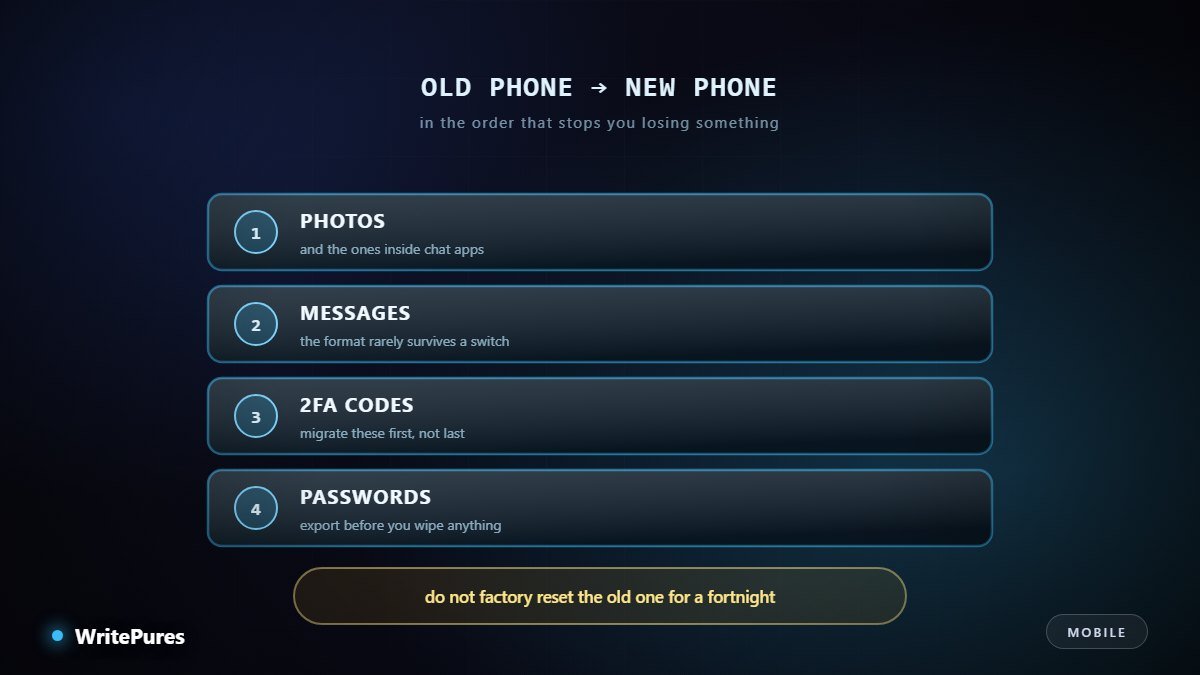
1. Two-factor codes, first
This is the step people leave until last and it is the one that locks them out. Authenticator codes are deliberately bound to a device. If the old phone is wiped, lost or reset while your codes live only on it, you can lose access to email, banking and work accounts simultaneously — and recovery without a second factor ranges from slow to impossible.
Use your authenticator's own transfer or export function if it has one. If it does not, re-enrol each account on the new phone individually while the old phone still works and can still generate codes.
2. Run the official transfer
Both platforms provide a first-party tool, and during initial setup is when it works best. It will handle contacts, calendars, photos, system settings and most installed apps. Do it over Wi-Fi, on power, and leave both phones alone until it finishes.
3. Chat history, separately
Messaging apps usually manage their own backups and ignore the system transfer entirely. Open each messaging app on the old phone, trigger its in-app backup, then restore during first launch on the new one — for most apps that prompt appears only once, and skipping it means starting empty.
4. Photos and media hidden inside apps
Your camera roll will transfer. Photos and videos saved inside messaging apps frequently will not, and for many people that is a substantial archive. Check it explicitly.
5. Passwords
If you use a password manager this is trivial. If your passwords live in a browser or in your head, export or record them before anything is wiped.
6. eSIM and the phone number
A physical SIM moves across in a second. An eSIM has to be transferred or reissued by your operator, and the process varies — our eSIM guide covers how switching works. Do this near the end, once the new phone is otherwise ready, so you are not without service mid-way.
After the Move
- Open every important app and sign in rather than assuming. Banking apps in particular often require full re-verification.
- Check two-factor works on each account before you need it in a hurry.
- Re-grant only the permissions you want. A fresh phone is the best chance you will get to reset years of accumulated location and notification access.
- Set up the backup on the new phone now, while you are thinking about it.
Do Not Wipe the Old Phone Yet
Keep it charged and intact for at least two weeks. Something always surfaces late — a thread, a pass, an app that silently never moved. The old phone is your only recovery route and keeping it costs nothing.
When you finally do clear it: sign out of your accounts first, then remove the device from your account's device list, then factory reset. Signing out before the reset matters, because an activation lock left in place makes the phone useless to anyone you pass it on to. If you plan to sell it, our used phone guide describes what buyers check — and what a careless wipe leaves behind.
Key Takeaways
- Move two-factor codes first, while the old phone still works.
- The official transfer tool handles most things — run it during initial setup.
- Chat history and in-app media need their own backups.
- Transfer an eSIM near the end, not at the start.
- Keep the old phone intact for a fortnight, then sign out before resetting.
Written by the WritePures newsroom. Spotted something that needs updating? Tell our editors.


0 Comments
Join the conversation
Replying toNo comments yet. Be the first to share your thoughts.