
A used phone can be the best value in consumer electronics or an expensive paperweight, and the difference is usually decided in the ten minutes before you hand over money. These are the checks worth making, in the order that matters.
Before You Meet the Seller
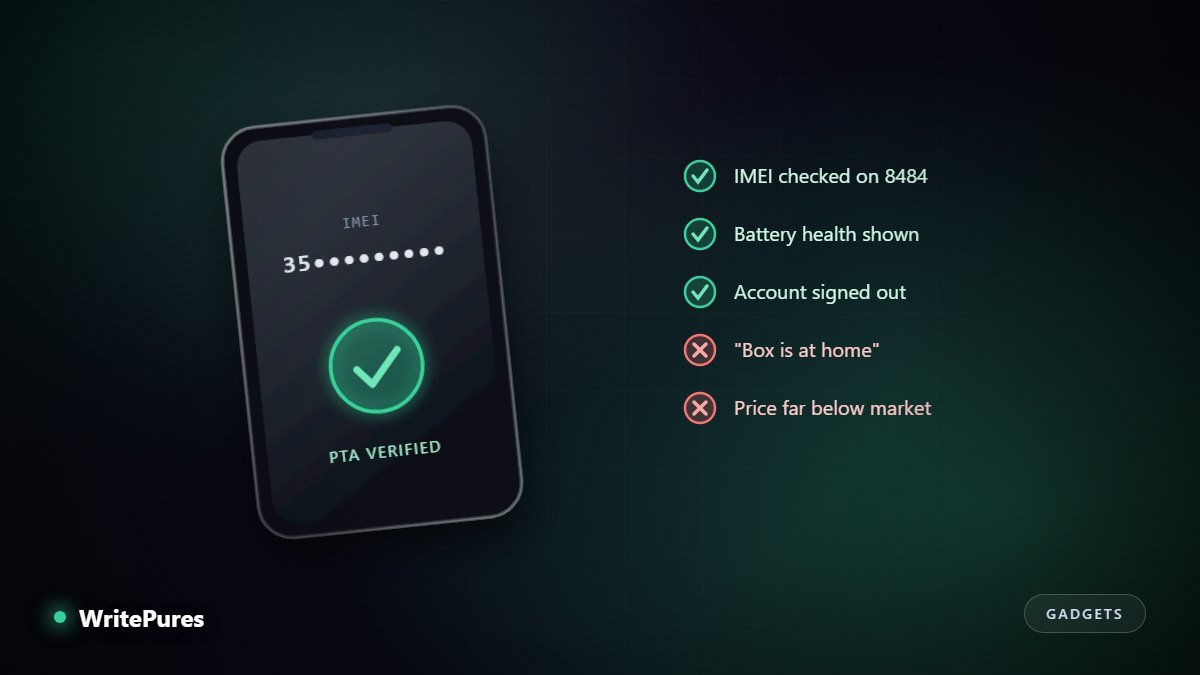
- Ask for the IMEI in advance and verify it yourself. A seller unwilling to share it before meeting has told you something useful.
- Check the market price for that exact model and storage size. You cannot judge a bargain without a baseline, and a price far below it is a warning, not an opportunity.
- Agree to meet somewhere with power and signal — a shopping centre, not a car park. You need to charge, test calls and connect to Wi-Fi.
- Bring a charging cable and a SIM. Half the checks below need them.
The Ten-Minute Inspection
1. Identity and status
Dial *#06# to show the IMEI on screen. Confirm it matches the IMEI in settings and on the box or SIM tray if present. Then check the device's registration status yourself — in Pakistan, through the PTA DIRBS service. An unregistered handset may work for a short period and then stop connecting to local networks.
2. Account locks — the one that cannot be undone
This is the check that matters most, because it is the only failure with no remedy. Ask the seller to erase the device completely and set it up in front of you. If it asks for the previous owner's Apple Account or Google account during setup, the phone is locked to them and will remain so. Walk away. A reset by itself does not remove this.
3. Battery
On iPhone, Settings shows maximum capacity as a percentage; below roughly 80% expect to replace it, and price accordingly. Android reporting varies by manufacturer. Also note whether the phone is warm at rest and how quickly it drains while you are standing there. Our guide to phone battery life explains what the figures mean.
4. Screen and body
Display a plain white image and then a plain black one at full brightness — this reveals dead pixels, discolouration and burn-in that a busy home screen hides. Run a finger across the whole screen to find unresponsive areas. Check the frame for separation around the edges, which suggests a swollen battery or a previous opening.
5. Everything that can quietly be broken
- Cameras — every lens, front and back, plus flash and video.
- Calls — insert your SIM and make a real call. Test earpiece, speaker and microphone.
- Charging — plug in and confirm it charges, and check for a loose port.
- Wi-Fi, Bluetooth and GPS — connect, pair, and open a maps app to confirm it locates you.
- Biometrics — enrol a fingerprint or face; a non-original sensor often will not work.
- Buttons — power, volume, silent switch.
- Water damage — check the indicator in the SIM tray slot where the model has one.
Warning Signs That Should End the Deal
- "The box and bill are at home." They are not.
- Refusal to erase and set up in front of you. There is only one reason to refuse.
- A price far below market. This is the most common signature of stolen or blocked devices.
- Pressure to hurry, or a sudden second buyer who is "on the way".
- IMEI mismatch between the screen, the settings menu and the tray.
- Meeting insistence on somewhere isolated, or wanting payment before you see the device.
Paying, and Afterwards
Pay only once every check is done. Keep a record of the transaction and, if possible, the seller's identity details — for a legitimate seller this is unremarkable. Get something in writing with the IMEI on it, even a signed note.
Then, the same day: sign into your own accounts, set a strong lock-screen code, turn on two-factor authentication, enable the find-my-device feature, and update the operating system fully. If anything feels wrong in the first days, our guide to checking a phone you do not trust covers what to look for.
Key Takeaways
- Verify the IMEI yourself and check registration status before meeting.
- Account locks are unfixable — insist on a full erase and setup in front of you.
- White and black full-screen images reveal display faults a home screen hides.
- A price far below market is a warning signal, not a bargain.
- Set up security and updates the same day you buy.
Written by the WritePures newsroom. Spotted something that needs updating? Tell our editors.

0 Comments
Join the conversation
Replying toNo comments yet. Be the first to share your thoughts.