

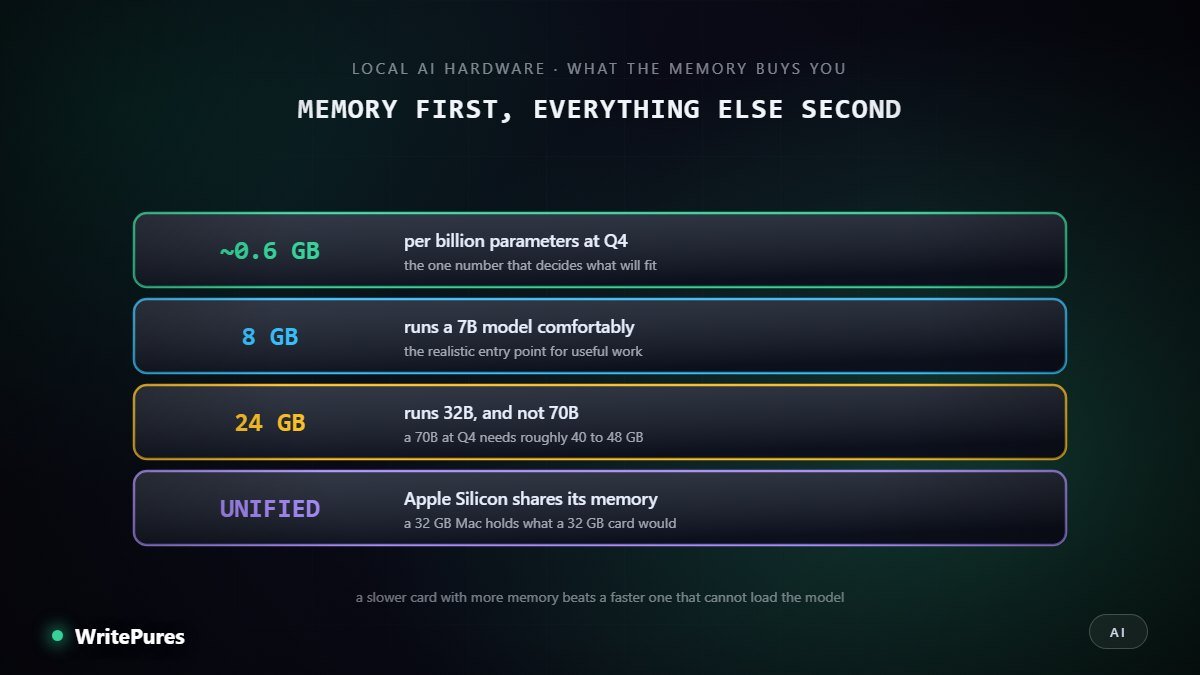
Almost every disappointing local-AI setup comes from the same mistake: buying for speed when the constraint is memory. A model that does not fit cannot run at any speed, and the specification that decides whether it fits is the one marketing talks about least.
The only arithmetic you need
At the common Q4_K_M quantisation, budget roughly 0.6 GB of memory per billion parameters, then add a few GB for context and the operating system.
| Model | Weights | Comfortable total |
|---|---|---|
| 3B | ~2 GB | 8 GB |
| 7B / 8B | ~4.4–6 GB | 16 GB |
| 13B / 14B | ~8–9 GB | 16–24 GB |
| 32B | ~19–20 GB | 32 GB |
| 70B | ~40–48 GB | 64 GB, or two cards |
What each tier actually gets you
8 GB. 3B models comfortably, 7B at a push with little else running. Workable for summarising and extraction, frustrating for conversation. This is where most people start and quickly want more.
12 GB. Comfortable 7B and 8B, which is the sweet spot for general use. For most people this is the point where local AI stops being a demo and becomes something they actually use.
16 GB. 13B and 14B models open up, with room for longer contexts. A noticeable quality step over 8B on reasoning tasks.
24 GB. 32B territory. And the thing to be clear about: a 24 GB card does not run a 70B model at Q4_K_M. People buy flagship consumer cards expecting exactly that and are disappointed.
48 GB and above. Workstation cards, or two consumer cards. This is where 70B becomes practical, and the price step is steep.
Why Apple Silicon is a genuine exception
Apple's machines share one pool of memory between CPU and GPU, so a 32 GB Mac can hold a model that would otherwise need a 32 GB graphics card — at a total system price well below a workstation GPU.
The trade-off is throughput: raw generation speed trails a comparable Nvidia card. But for running larger models at all on a single machine, the memory maths wins, and a high-memory Mac handles 70B at Q4 in a way no consumer graphics card does.
How to decide, in order
- Pick the model size you actually want to run. Be honest — most useful work is 7B to 14B, not 70B.
- Apply the memory arithmetic and add headroom.
- Buy the most memory in that budget, not the fastest chip.
- Check system RAM too. A common guideline is at least twice your VRAM, so loading and offloading do not thrash.
What not to buy
An older card with impressive benchmarks and 8 GB. Gaming performance tells you nothing about whether a model loads.
More card than your power supply or case supports. Mundane, and it catches people out.
Anything, before testing on what you own. Run a 3B model on your current machine first. You may find it does enough, and you will certainly understand the trade-offs better before spending.
Our guide to running local models and the step-by-step local models tutorial both work on hardware you already have, which is the cheapest way to find out what you actually need.
Written by the WritePures newsroom. Spotted something that needs updating? Tell our editors.
Part of our guide to local AI models, which covers the whole subject from the beginning.




0 Comments
Join the conversation
Replying toNo comments yet. Be the first to share your thoughts.