
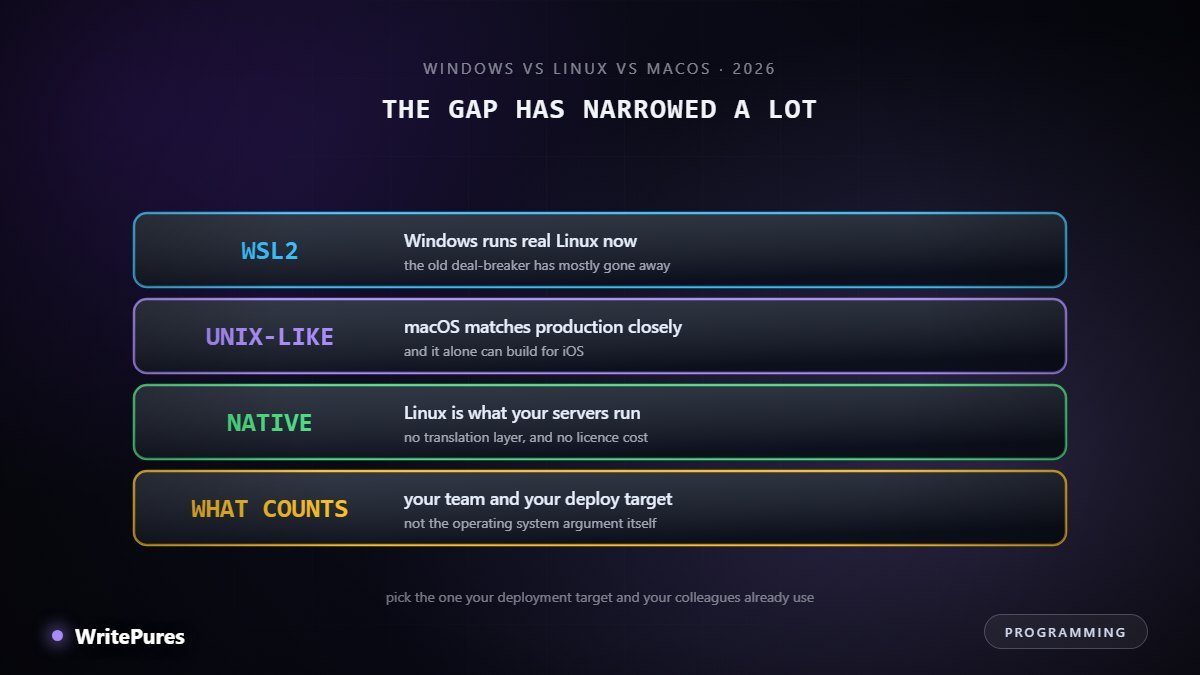
This argument used to have a clear answer for each kind of work. It mostly does not any more, which is genuinely good news — and it means the real decision is about what you deploy to and who you work with, not which operating system is better.
What changed
For years the practical objection to Windows was that server-targeted tooling fought you. WSL2 removed most of that by running an actual Linux kernel: containers, package managers and shell toolchains behave as they do on a server, not through a translation layer.
Meanwhile macOS stayed Unix-like and therefore close to production, and Linux kept being the thing servers actually run.
The result is three platforms that can all do most development work, which is why the argument has lost its heat.
Where each genuinely wins
Linux — it is what you deploy to. No translation layer, no licence cost, and it runs well on modest or older hardware, which matters where budget is the binding constraint. For server-side, DevOps and infrastructure work it remains the shortest path between your machine and production.
macOS — the only platform that can build and sign iOS apps, which settles it outright for mobile developers. Unix-like enough to match production, with unified memory that gives it a real advantage for running AI models locally. The cost is the hardware premium.
Windows — the broadest hardware range at every price, which is a bigger factor in Pakistan than in commentary written elsewhere. WSL2 for Linux tooling, native support for .NET and Windows-targeted work, and the best situation if the same machine is also used for games or design.
Side by side
| Windows | Linux | macOS | |
|---|---|---|---|
| Cost of entry | Wide range | Lowest | Highest |
| Matches Linux servers | Via WSL2 | Natively | Closely |
| Builds iOS apps | No | No | Yes |
| Local AI | Good with a GPU | Good with a GPU | Strong, unified memory |
| Old hardware | Workable | Best | Not applicable |
| Main friction | WSL boundary | Drivers, some software | Price |
The constraint that actually decides
Work backwards from two things.
What do you deploy to? If it is a Linux server, you want Linux, macOS, or Windows with WSL2 — all fine. If it is iOS, you need a Mac. If it is Windows-native software, you need Windows.
What does your team use? Being the only person on a different platform means you debug environment problems nobody else has, and that cost is larger and duller than any benchmark. For a junior developer especially, matching the team is worth more than any feature.
The practical advice
Use what you already own. If that is a Windows laptop, install WSL2 today and spend nothing. The money saved buys more RAM, which will help you more than a different operating system would.
Upgrade memory before changing platform. 16 GB on any of the three beats 8 GB on the "right" one, and it is the single cheapest improvement available to most developers.
Learn Linux regardless. Whatever you develop on, you will deploy to it and debug it. Our VPS tutorial is a practical way in, because learning on a real server you administer sticks better than reading about it.
The honest summary: this is now a preference argument dressed as a technical one. Pick what matches your deployment target and your colleagues, then stop thinking about it and ship something.
Written by the WritePures newsroom. Spotted something that needs updating? Tell our editors.


0 Comments
Join the conversation
Replying toNo comments yet. Be the first to share your thoughts.