
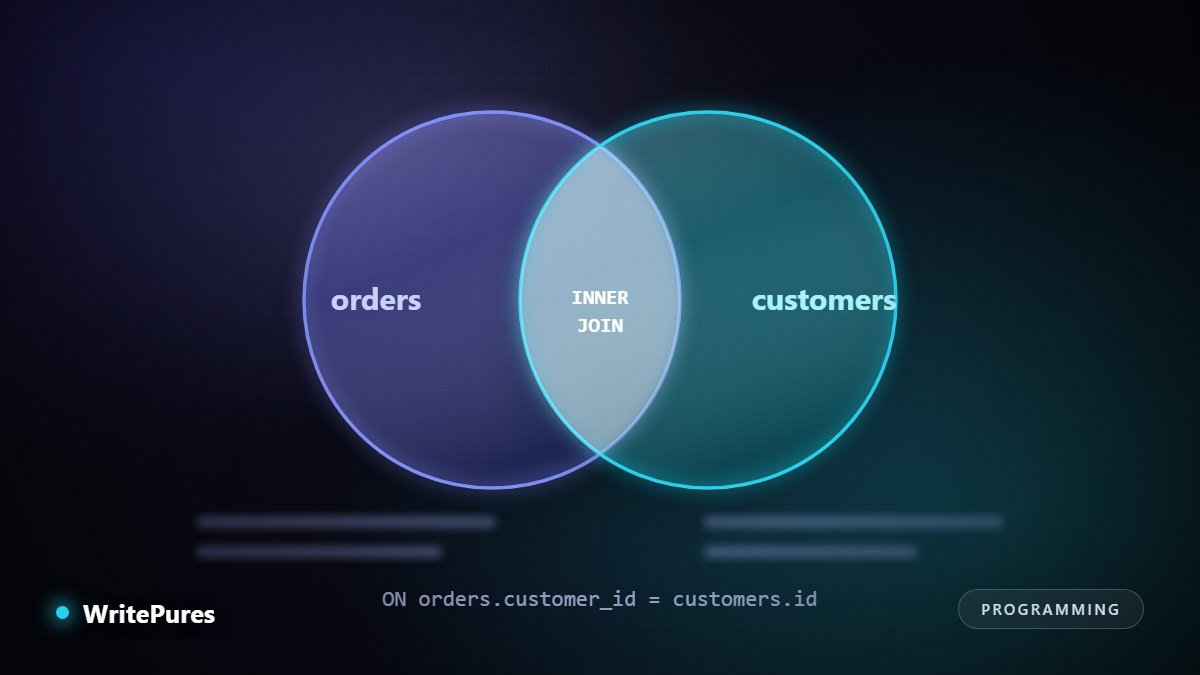
Joins are the part of SQL where confident-looking queries quietly return the wrong number. The syntax is simple; what makes joins hard is predicting which rows survive. Two small tables are enough to make every case clear.
The Two Tables
Everything below uses these. Note deliberately that one customer has no orders, and one order has no matching customer — those two rows are what make the join types differ.
customers                    orders
id | name                    id | customer_id | total
---+--------                 ---+-------------+------
 1 | Ayesha                   1 |           1 |  2500
 2 | Bilal                    2 |           1 |  1800
 3 | Fatima                   3 |           2 |   900
                              4 |         9 |  4100   <- no such customer
INNER JOIN — Only Matching Rows
Returns rows that exist on both sides. Fatima disappears (no orders) and order 4 disappears (no customer).
SELECT c.name, o.total
FROM customers c
INNER JOIN orders o ON o.customer_id = c.id;

Ayesha | 2500
Ayesha | 1800
Bilal   |  900
Use it when a row without a match is not meaningful to your question. Note Ayesha appears twice — one row per matching order. That duplication is the source of most join bugs.
LEFT JOIN — Keep Everything on the Left
Every customer appears, whether or not they have orders. Unmatched right-hand columns come back NULL.
SELECT c.name, o.total
FROM customers c
LEFT JOIN orders o ON o.customer_id = c.id;

Ayesha | 2500
Ayesha | 1800
Bilal   |  900
Fatima  | NULL   <- kept, with nulls
This is the join you want for "all X, with their Y if any" — all customers with their order totals, all products with their reviews. It is also how you find missing relationships:
-- customers who have never ordered
SELECT c.name
FROM customers c
LEFT JOIN orders o ON o.customer_id = c.id
WHERE o.id IS NULL;
RIGHT and FULL JOIN
RIGHT JOIN is LEFT JOIN with the tables reversed — every row from the right table is kept. Here that surfaces order 4, the one with no customer. Most teams simply swap the table order and use LEFT instead, for consistency.
FULL OUTER JOIN keeps unmatched rows from both sides: Fatima and order 4. It is useful for reconciliation — finding records that exist in one system but not the other. MySQL does not support it directly; the usual workaround is a LEFT JOIN and a RIGHT JOIN combined with UNION.
| Join | Keeps unmatched left | Keeps unmatched right | Typical use |
|---|---|---|---|
| INNER | No | No | Only rows related on both sides |
| LEFT | Yes | No | All of X with optional Y |
| RIGHT | No | Yes | Rarely — swap and use LEFT |
| FULL OUTER | Yes | Yes | Reconciling two sources |
| CROSS | Every combination | Generating grids; accidental when ON is omitted | |
The Mistakes That Produce Wrong Numbers
1. A filter in WHERE that belongs in ON
This is the most common join bug in production code.
-- Looks like a LEFT JOIN, behaves like INNER
SELECT c.name, o.total
FROM customers c
LEFT JOIN orders o ON o.customer_id = c.id
WHERE o.total > 1000;        -- discards the NULL rows

-- Correct: filter as part of the match
LEFT JOIN orders o ON o.customer_id = c.id AND o.total > 1000;
WHERE runs after the join and removes rows where o.total is NULL — exactly the rows the LEFT JOIN was there to preserve.
2. Aggregating over duplicated rows
If a customer has three orders and you join before summing anything from the customer side, that customer's values are counted three times. When an aggregate looks too large, check whether a join multiplied the rows first — aggregating in a subquery before joining usually fixes it.
3. Forgetting that NULL never equals NULL
Rows where the join key is NULL never match, even against another NULL. If keys are optional, decide explicitly how those rows should behave.
4. Joining on the wrong column
Joining orders.id = customers.id rather than orders.customer_id = customers.id runs happily and returns confident nonsense. Always read the ON clause twice; it is not checked for meaning by anything but you.
Habits Worth Adopting
- Alias every table and qualify every column. Ambiguity is where mistakes hide.
- Compare row counts before and after a join whenever the result feeds an aggregate.
- Standardise on LEFT so joins read in one direction.
- Index your join keys. Foreign key columns are not automatically indexed in every engine, and an unindexed join key is a common cause of slow queries.
- Read the query plan with
EXPLAINbefore blaming the database for being slow.
For how database choice interacts with all this, see our piece on PostgreSQL in the cloud era.
Key Takeaways
- INNER keeps matches only; LEFT keeps every row on the left and fills NULLs.
- A right-table condition in WHERE silently converts a LEFT JOIN into an INNER JOIN.
- Joins duplicate rows when the key is not unique, which quietly inflates aggregates.
LEFT JOIN … WHERE right.id IS NULLis the idiom for finding what is missing.- Alias everything, index join keys, and check row counts before trusting a total.
Written by the WritePures newsroom. Spotted something that needs updating? Tell our editors.




0 Comments
Join the conversation
Replying toNo comments yet. Be the first to share your thoughts.