
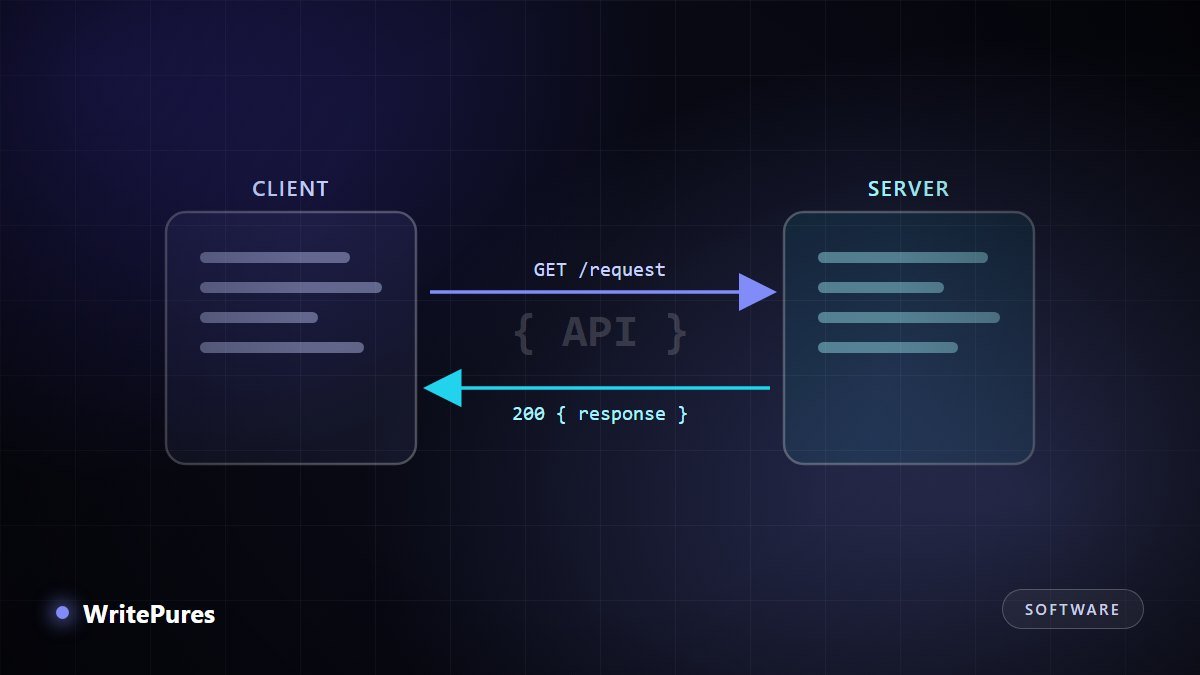
Almost every application you use is quietly talking to other applications. When a weather widget shows tomorrow's forecast, a checkout page confirms your card, or a site lets you sign in with an existing account, an API is doing the work. This guide explains exactly what is happening.
The Idea, Without the Jargon
An API is a contract between two programs. One program agrees to accept certain requests, and in return promises to send back certain information in a predictable format.
The restaurant analogy is overused but accurate if you take it far enough. You do not walk into the kitchen and cook; you read a menu listing what you may order, you order using the names on that menu, and food arrives. The menu is the API: it defines what you can ask for and how to ask. The kitchen is free to change its equipment entirely, and as long as the menu still works, you never notice.
That last point is the real reason APIs exist. They let a service change internally without breaking everything that depends on it.
Anatomy of a Request
Almost every API request you will meet has four parts.
- The endpoint — a URL identifying what you want:
https://api.example.com/v1/users/42. The path usually names a resource, and/v1/is a version so the provider can change things later without breaking existing callers. - The method — what you want to do with it.
GETreads,POSTcreates,PUTorPATCHupdates,DELETEremoves. AGETshould never change anything, which is why browsers feel free to repeat them. - Headers — metadata about the request: who you are (
Authorization), and what format you can handle (Accept: application/json). - The body — the data you are sending, used with
POSTandPUT, usually as JSON. AGETrequest normally has none.
A real example you can run
This asks a public API for information about a GitHub repository. Paste it into a terminal:
curl https://api.github.com/repos/laravel/laravelYou will get back a block of JSON containing fields like name, stargazers_count and created_at. Nothing was installed and no key was needed, because this particular endpoint is public and read-only. That is a complete API call: a GET to an endpoint, returning structured data.
Anatomy of a Response
The response has two parts that matter: the status code and the body.
| Code | Meaning | What to do |
|---|---|---|
| 200 | OK — it worked | Read the body |
| 201 | Created — your POST succeeded | Usually returns the new resource |
| 400 | Bad request — your data was malformed | Fix the request; retrying unchanged will fail again |
| 401 | Unauthorized — missing or invalid credentials | Check your key or token |
| 403 | Forbidden — authenticated but not allowed | Check permissions, not credentials |
| 404 | Not found | Check the endpoint and the resource id |
| 429 | Too many requests — rate limited | Slow down and retry after a delay |
| 500 | Server error — their fault, not yours | Retry with backoff; report if persistent |
The broad rule is worth memorising: 4xx means you made a mistake, 5xx means they did. It tells you immediately whether to fix your code or retry.
Authentication: Proving Who You Are
Public read-only endpoints are the exception. Most APIs need to know who is calling, and you will meet three approaches.
- API keys. A long string sent in a header. Simple, and suited to server-to-server use. A key identifies the application, not a person.
- Bearer tokens. A token obtained by logging in, sent as
Authorization: Bearer <token>. Usually expires, which limits the damage if it leaks. - OAuth. The flow behind "Sign in with…". It lets a user grant your application limited access to their account on another service without ever giving you their password.
One rule matters more than the rest: never put a secret key in code that runs in a browser or a mobile app. Anything shipped to a user's device can be read by that user. Keys belong on a server you control. Our guide to securing applications in production covers how to store them safely.
Rate Limits and Good Manners
APIs limit how often you may call them, because a service cannot let one caller consume everything. Limits are usually published and often returned in response headers telling you how many calls remain.
Handle a 429 with exponential backoff: wait a second, then two, then four, rather than retrying immediately in a loop. Retrying hard against a struggling service is how a minor incident becomes an outage. Cache responses that do not change often, and ask for only the data you need.
REST, GraphQL and Webhooks
Three styles cover most of what you will encounter:
- REST — resources at URLs, acted on with HTTP methods. The default, widely understood, easy to debug in a browser.
- GraphQL — a single endpoint where the caller specifies exactly which fields it wants. Useful when round trips are expensive or clients need very different data shapes.
- Webhooks — the direction reverses. Instead of you polling for changes, the service calls your URL when something happens. Ideal for payment confirmations and similar events.
Key Takeaways
- An API is a contract: agreed requests in, predictable data out.
- A request is an endpoint, a method, headers and sometimes a body.
- 4xx status codes mean fix your request; 5xx means retry with backoff.
- Secret keys belong on a server, never in browser or mobile code.
- You can explore any public API with curl or a browser before writing a line of code.
Once you are comfortable calling APIs, the natural next steps are packaging your own service — see our Docker explainer — and automating how it ships, covered in our CI/CD guide. If you are coordinating work with others, the difference between Git and GitHub is worth clearing up early.
Written by the WritePures newsroom. Spotted something that needs updating? Tell our editors.








0 Comments
Join the conversation
Replying toNo comments yet. Be the first to share your thoughts.